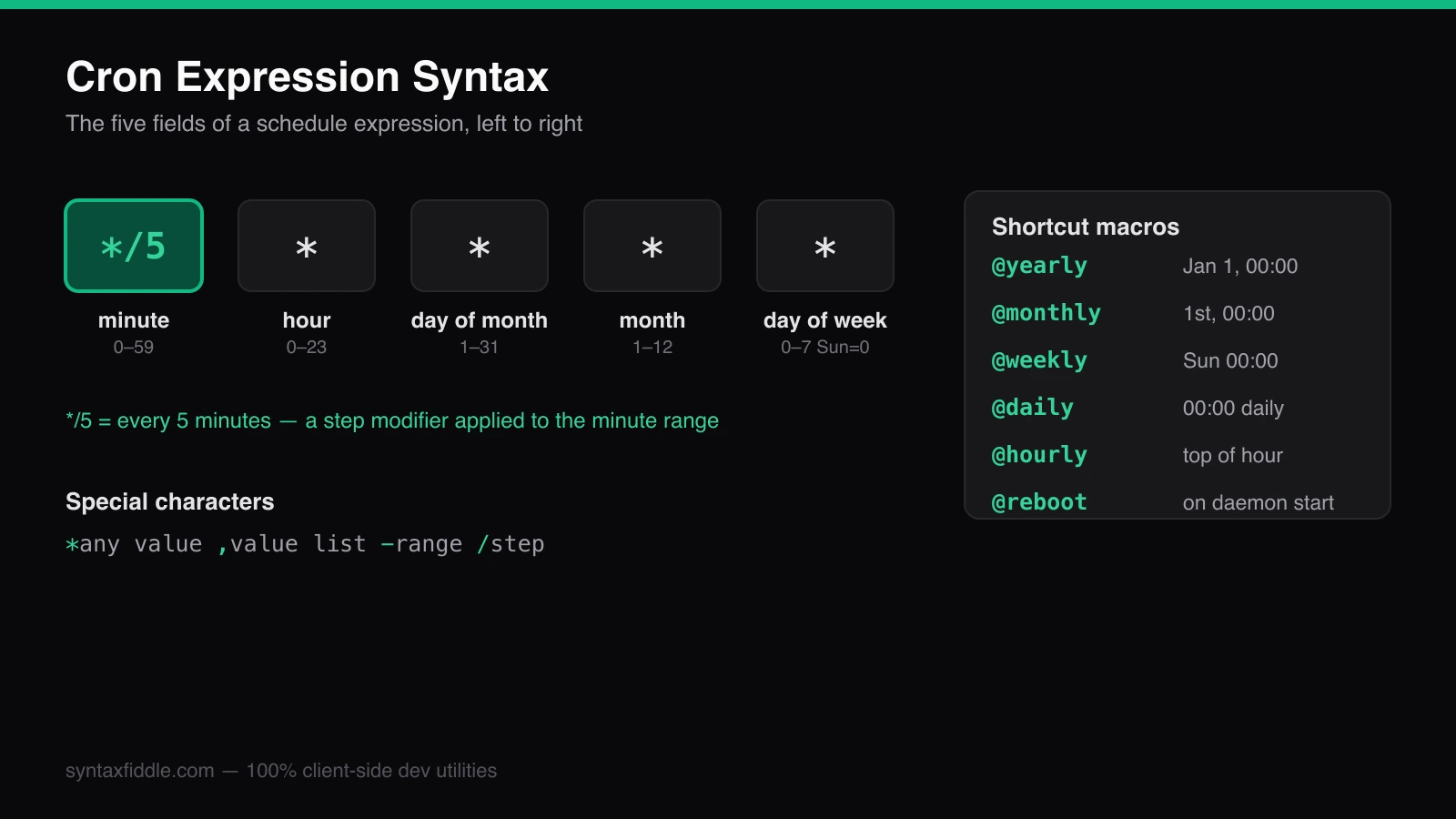
Cron expression syntax is terse by design: five fields decide when backups run,
certificates renew, and log files rotate. Because that syntax is so compact, it
is also one of the most common sources of production incidents. This guide
explains every field — and the asterisks, ranges, step values, and shortcut
macros like @daily that answer the questions people actually search for,
such as how do I run a job every 5 minutes?
What the five cron fields mean
A classic Unix crontab entry has five fields followed by the command to run:
# ┌───────────── minute        (0–59)
# │ ┌───────────── hour        (0–23)
# │ │ ┌───────────── day of month (1–31)
# │ │ │ ┌───────────── month   (1–12)
# │ │ │ │ ┌───────────── day of week (0–7, 0 and 7 are Sunday)
# │ │ │ │ │
# * * * * *  /usr/local/bin/backup.sh
That first example — 0 2 * * * — reads "at minute 0 of hour 2, every day": a 2 AM nightly
job. Reading a five-field expression out loud is the fastest way to sanity-check it.
| Field | Allowed values | Meaning |
|---|---|---|
| Minute | 0–59 | Minute of the hour |
| Hour | 0–23 | Hour of the day (server local time) |
| Day of month | 1–31 | Calendar day |
| Month | 1–12 | Calendar month |
| Day of week | 0–7 | 0 and 7 are both Sunday |
Cron special characters: asterisk, comma, hyphen, slash
Four characters do all the heavy lifting inside those fields:
The asterisk — every value
* * * * * /opt/healthcheck.sh
An asterisk means "match everything", so this runs the healthcheck once a minute.
The comma — value lists
0 6,12,18 * * * /opt/sync.sh
Runs at 6:00, 12:00, and 18:00 every day. Lists are great for business-hours schedules.
The hyphen — ranges
0 9-17 * * 1-5 /opt/report.sh
Top of every hour from 9 AM to 5 PM, Monday through Friday — the classic business-hours job.
The slash — step values (every N minutes)
The step modifier answers the most-searched cron question: how to run a job every 5 minutes.
*/10 * * * * /opt/poll.sh
Every tenth minute: 0, 10, 20, 30, 40, 50. Steps can start anywhere — 15/10
means 15, 25, 35, 45, 55.
Cron shortcut macros: @daily, @hourly, @reboot
Most modern cron daemons accept named aliases for common schedules:
| Macro | Equivalent |
|---|---|
@yearly | 0 0 1 1 * — once a year, January 1 at midnight |
@monthly | 0 0 1 * * — first of every month at midnight |
@weekly | 0 0 * * 0 — Sunday at midnight |
@daily | 0 0 * * * — every day at midnight |
@hourly | 0 * * * * — top of every hour |
@reboot | Once, immediately after the cron daemon starts |
Five pitfalls that break schedules
- Timezone drift. Cron evaluates expressions in the daemon's local time. Containers default to UTC — a "2 AM backup" written for an Eastern Time server silently runs at 9 PM Eastern.
- Day-of-month plus day-of-week. When both fields are restricted, cron fires on days
matching either, not both.
0 0 13 * 5runs on the 13th and on every Friday. - DST gaps. Jobs scheduled inside a spring-forward window (2:00–3:00 AM in most US zones) simply skip that day.
- Percent signs. In a crontab,
%is a newline marker. Escape it as\%inside commands or date arguments. - Silent env differences. Cron runs commands with a minimal environment — use absolute paths to binaries and files, and redirect output to a log.
Verify before you deploy
Read the expression aloud, check the server's timezone, and simulate the next few runs before a schedule reaches production. You can paste any expression into the Cron Tester & Generator to see the next execution times, a plain-English explanation of the syntax, and dialect-specific warnings — all computed locally in your browser.