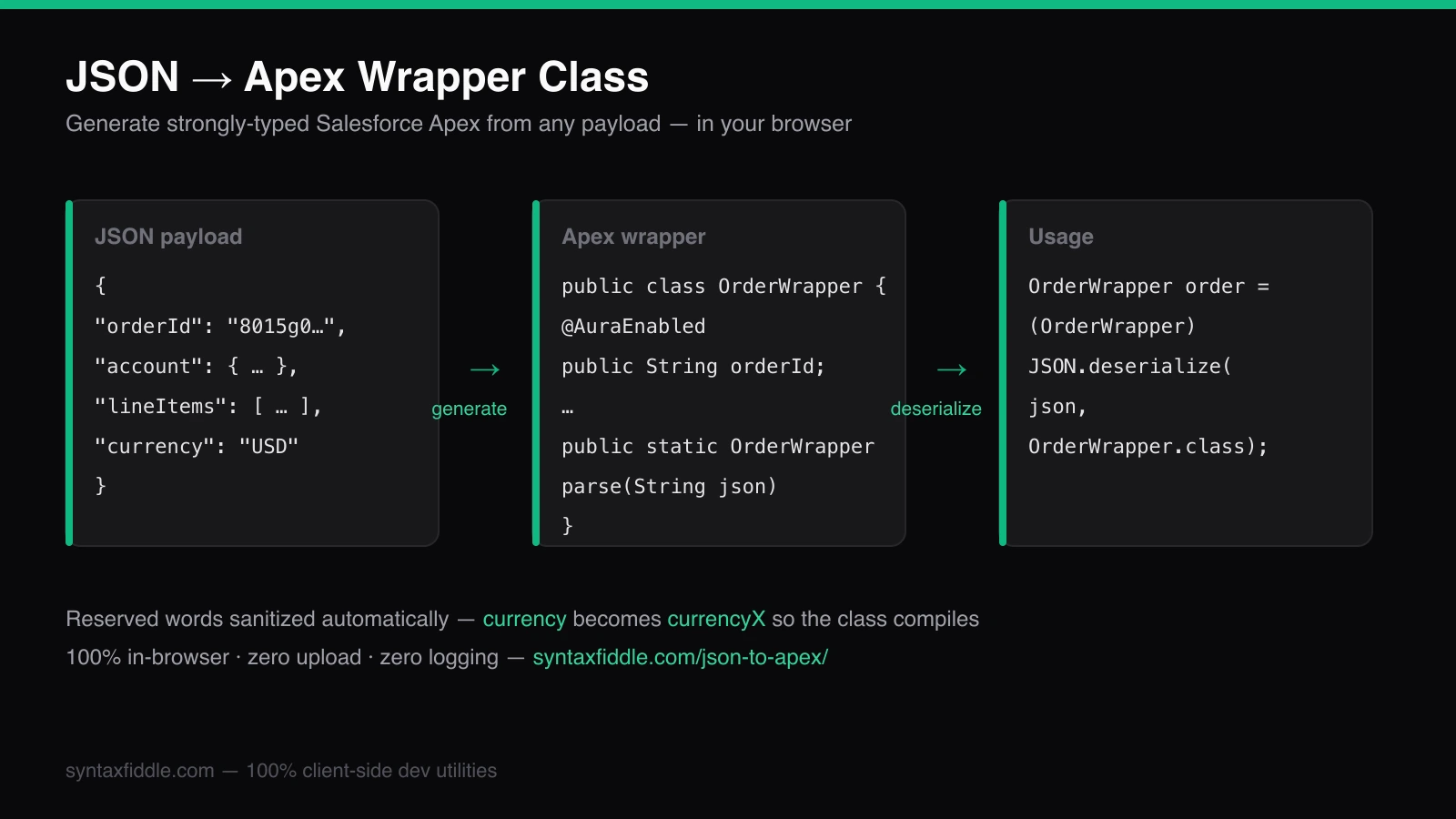
In Apex, deserializing JSON into a strongly-typed class is one line — (OrderWrapper) JSON.deserialize(jsonText, OrderWrapper.class) — but hand-writing that wrapper class for every external API response is the slow, error-prone part. A JSON to Apex class generator removes it entirely: paste the payload, copy the generated wrapper with its @AuraEnabled members and inner classes, and deserialize.
Try it while you read
JSON to Apex Class Generator — Generate Salesforce Apex wrapper classes from JSON — typed, free & offline.
Why Convert JSON Payloads into Strongly-Typed Apex Classes?
Every Salesforce integration eventually calls an external API and gets JSON back. The lazy path is JSON.deserializeUntyped(), casting your way through Map<String, Object> structures at runtime. The professional path is a typed wrapper class, and the difference shows up the first time an API changes a field name:
- Type safety — field access is checked at compile time, not discovered as a runtime
NullPointerExceptionin production. - Readable call sites —
order.lineItems[0].unitPriceinstead of a tower of casts. - Cleaner test classes — mocks deserialize into the same wrapper, so unit tests assert on typed properties.
- LWC- and Flow-ready —
@AuraEnabledmembers can be exposed directly to Lightning Web Components.
JSON.deserialize untyped vs typed Apex: a comparison
// Untyped: compiles, then fails at runtime, casts everywhere
Map<String, Object> raw = (Map<String, Object>) JSON.deserializeUntyped(json);
List<Object> items = (List<Object>) raw.get('lineItems');
Map<String, Object> first = (Map<String, Object>) items.get(0);
Decimal price = (Decimal) first.get('unitPrice'); // typo here = runtime exception
// Typed: one call, checked at compile time
OrderWrapper order = OrderWrapper.parse(json);
Decimal price = order.lineItems[0].unitPrice; // typo here = compile error
deserializeUntyped | Generated wrapper class | |
|---|---|---|
| Field access | Manual casts | Typed properties |
| Errors surface | Runtime | Compile time |
| Testability | Fragile assertions | Typed, refactor-safe |
| Boilerplate | At every call site | Generated once |
How to Convert JSON to Salesforce Apex: Step-by-Step
The raw JSON payload
Take a typical integration response — nested objects, an array of line items, mixed value types, and one landmine: a key named currency, which is a reserved Apex word.
{
  "orderId": "8015g00000ABCdD",
  "account": {
    "name": "Northern Trail Outfitters",
    "industry": "Retail",
    "annualRevenue": 12500000.75
  },
  "lineItems": [
    { "sku": "GX-1000", "quantity": 3, "unitPrice": 249.99 },
    { "sku": "GX-2000", "quantity": 1, "unitPrice": 899.5 }
  ],
  "currency": "USD",
  "closed": true,
  "contactCount": 142
}
The generated Apex wrapper class
An Apex wrapper class generator turns that payload into compilable Apex — String, Integer, Decimal, Boolean, inner classes for nested objects, List<T> for arrays, @AuraEnabled on members, and a static parse() helper:
public with sharing class OrderWrapper {

    @AuraEnabled
    public String orderId;

    @AuraEnabled
    public AccountWrapper account;

    @AuraEnabled
    public List<LineItemWrapper> lineItems;

    // "currency" is a reserved Apex word — sanitized on generate
    @AuraEnabled
    public String currencyX;

    @AuraEnabled
    public Boolean closed;

    @AuraEnabled
    public Integer contactCount;

    @AuraEnabled
    public static OrderWrapper parse(String json) {
        return (OrderWrapper) JSON.deserialize(json, OrderWrapper.class);
    }

    public class AccountWrapper {
        @AuraEnabled public String name;
        @AuraEnabled public String industry;
        @AuraEnabled public Decimal annualRevenue;
    }

    public class LineItemWrapper {
        @AuraEnabled public String sku;
        @AuraEnabled public Integer quantity;
        @AuraEnabled public Decimal unitPrice;
    }
}
Deserializing with JSON.deserialize
With the wrapper deployed, consuming the API is a single typed call — in an integration service, a batch job, or an LWC controller:
HttpResponse response = http.send(request);
OrderWrapper order = OrderWrapper.parse(response.getBody());
System.debug(order.lineItems[0].unitPrice); // 249.99
The explicit form does the same thing if you prefer it inline:
OrderWrapper order =
    (OrderWrapper) JSON.deserialize(response.getBody(), OrderWrapper.class);
Handling Edge Cases: Reserved Keywords, Reserved Names & Arrays
Real payloads are never as polite as documentation examples. This is where hand-writing wrappers — and naive generators — fall apart.
Reserved Apex keywords
Keys like global, class, currency, and date are reserved words in Apex and cannot be used as property names. Paste them into a basic generator and you get code that does not compile. The converter detects reserved words during generation and sanitizes them into valid identifiers — currency becomes currencyX — so the emitted class always compiles, and the rename is flagged in the output for review.
Nested objects, arrays, and nulls
To convert nested JSON to Apex correctly, the generator maps structure mechanically:
- Nested objects become inner classes (
AccountWrapperinsideOrderWrapper). - Arrays of objects become
List<LineItemWrapper>; arrays of primitives becomeList<String>and friends. - JSON
nullvalues deserialize intonullmembers — leave fields nullable rather than guessing defaults. - Apex property matching is case-insensitive, and the generator preserves your original key casing so round-tripping stays predictable.
Why Client-Side Conversion Matters for Enterprise Salesforce Data
Enterprise API payloads routinely contain customer PII, session tokens, opportunity amounts, and internal org identifiers. Most online converters POST your JSON to a server to generate code — which means your integration data leaves your machine, gets logged somewhere, and lives in someone else's infrastructure.
A JSON to Apex parser without server upload works differently: parsing, type inference, reserved-word sanitization, and code generation all run in local browser memory as plain JavaScript. Nothing is transmitted, nothing is logged, nothing is stored — which is usually exactly what your security review wants to hear before a tool touches production payloads.
That is also why teams hunting for a JSON2Apex free alternative land here: no account, no quota, no server round trip, and copy-to-clipboard in one click.
Generate Apex from JSON right now
Paste any payload — integration response, Platform Event mock, or webhook sample — into the
JSON to Apex Class Generator and get the full wrapper class with
@AuraEnabled members, inner classes, and a parse() helper. Prefer an LWC-ready variant
with @AuraEnabled(cacheable=true), or a callout wrapper with fromHttpResponse()? Both
are one toggle away. And if your payload starts life as a cURL command, the
cURL to Salesforce Apex converter transpiles the whole
request; when the dust settles, the SOQL Formatter keeps your query
side readable.