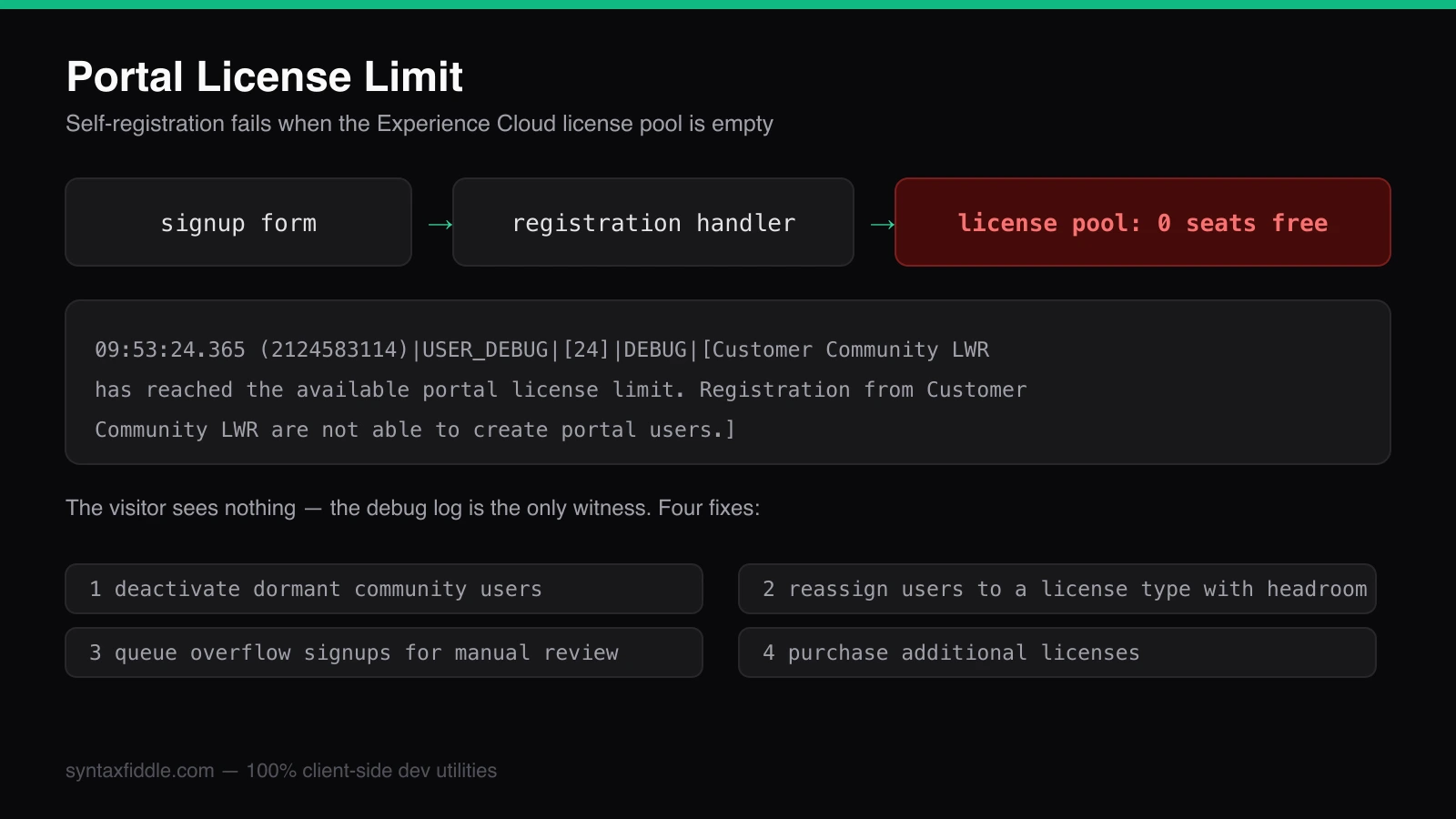
Every so often the support queue fills with "I signed up and nothing happened," while the org's own logs tell the real story: the registration handler ran, tried to create the portal user, and was refused — the org has run out of the one resource nobody monitors until it blocks revenue: portal licenses. The error is invisible to the visitor and nearly invisible to admins, because self-registration failures don't email anyone. The debug log is the only place the failure is written down. This guide covers the exact log line, what the license pool is, how to count it, and the four fixes.
Try it while you read
Salesforce Debug Log Analyzer — Parse debug logs — SOQL, DML, governor limits & errors.
The exact line in the log
Capture a debug log for the running user (or the automated-process user the
registration executes as), reproduce a signup, and the failure appears as a
USER_DEBUG line from the registration handler:
09:53:24.365 (2124583114)|USER_DEBUG|[24]|DEBUG|[Customer Community LWR
has reached the available portal license limit. Registration from Customer
Community LWR are not able to create portal users.]
Three markers identify it: the USER_DEBUG event (not
EXCEPTION_THROWN — the handler catches and logs the condition), the
license-type name, and the phrase available portal license limit. The
statement number — [24] here — maps back to the custom registration
handler (an Auth.UserRegistrationHandler implementation or a Site.signUp
call), which is the code whose try/catch turned a hard failure into a log
line. That catch-and-log behavior is good engineering, and it is exactly why
the failure is otherwise silent: nothing throws, nothing alerts, and the
prospective customer is left staring at a spinner.
What is actually failing
Experience Cloud (communities) users consume license seats by type — Customer Community, Customer Community Plus, Partner, Customer Community LWR, and others. Each type has an org-level allotment: the number of active users of that license the contract permits. Self-registration asks Salesforce to create a portal user and assign them a license type (the one mapped to the community's profile); when every seat of that type is taken, the user creation is refused and the handler logs the limit message.
The "LWR" in the error is the license class naming the modern Lightning Web Runtime site template — the message says "Customer Community LWR" because that is the license type the site's registration profile requests, not because the failure is template-specific. Any Experience Cloud license type can produce the same error with its own name substituted.
Confirming the license count
Two counts settle it. Assigned seats: Setup → Users, filter by the license type (the license is visible on the user detail view and in list-view filters via user license), and count active users. The allotment: Company Information (permission-dependent) and the Digital Experiences administration pages show purchased quantities per license type. The arithmetic is seats-used versus seats-purchased; when the first equals the second, the next registration fails with exactly the logged message. Two traps: deactivated users release their seats, so a dormant community is inflated capacity on paper but free seats in practice — and "pending" members who never activated may or may not consume a seat depending on how they were created, so audit the user list, not the member list.
The four fixes, in order of speed
- Deactivate dormant community users. Partners who left, customers who churned, test registrations from launch week — each deactivation releases a seat back to the pool instantly. An annual dormancy review (no login in 12+ months → deactivate, welcome to re-register) usually frees more seats than anyone expects.
- Move users to a license type with headroom. If the org holds mixed license types, reassigning users who need less capability (Customer Community instead of Plus) frees the exhausted type for registrations that truly need it.
- Gate the registration flow. Route overflow into a review queue: the handler checks available seats (queryable via the user list or the number-of-users metric), and when the pool is dry, stores the request as a lead or custom object instead of attempting the user creation — the visitor gets "we'll be in touch" instead of nothing, and ops provisions manually after freeing a seat.
- Buy licenses. The answer when churn-free growth is simply outpacing the allotment. Do it after step 1 anyway — the dormancy count is leverage in the contract conversation.
Making signup resilient before the next failure
The durable pattern treats license capacity as a monitored resource: alert when the pool crosses 90% (a scheduled report or a check inside the registration handler), log the remaining-seat count in the handler's debug line so incidents arrive with the number in hand, and give the handler a human-friendly overflow path rather than a bare failure. The registration handler is the one place in the flow where your code can convert a hard refusal into a graceful queue entry — that conversion is fifteen lines of Apex, and it is the difference between "we'll be in touch" and a lost customer. When triaging the next silent-signup incident, drop the log into the Salesforce debug log analyzer — it extracts the USER_DEBUG lines with their source statements, and the debug-log field guide covers the rest of the log's anatomy for the neighboring failure modes.
Frequently asked questions
What does 'has reached the available portal license limit' mean in Salesforce?
An Experience Cloud self-registration tried to create a portal user, but
every seat of the required license type is assigned to active users.
Salesforce refuses the creation and the registration handler logs the
message as a USER_DEBUG debug line — which is usually the only record the
failure ever leaves.
Why are my community signups failing silently? Self-registration failures surface in the UI as a generic error or nothing at all — the org-side evidence lands only in the debug log. License-pool exhaustion is the most common cause; profile permission issues on the assigned profile are the runner-up. Capture a debug log for a signup attempt and read the handler's log line to distinguish them.
How do I check how many Community licenses are in use? Setup → Users, filtered by the license type, counting active users, against the purchased allotment shown in Company Information and the Digital Experiences administration pages. Deactivated users release their seats, so the true free capacity is allotment minus active assigned — not minus total accounts ever created.
How do I fix the portal license limit error? Deactivate dormant community users (fastest — releases seats immediately), reassign users to a license type with headroom, gate self-registration so overflow queues for manual provisioning instead of failing, or purchase more licenses. A dormancy review usually frees enough seats to defer the purchase conversation by quarters.
What is Customer Community LWR? LWR is Lightning Web Runtime — the modern Experience Cloud site template built on Lightning Web Components — paired with the Customer Community license class. The error names it because that is the license type the site's registration profile requests; the same failure pattern exists for every Experience Cloud license type with its own name in the message.